Today, WhatsApp is one of the most used communication tools for businesses. Customers prefer quick replies, order updates, support messages, payment reminders, and offers directly on WhatsApp. For many companies, WhatsApp is no longer just a chat app. It has become a strong channel for business communication.
Advanced WhatsApp Integration in Odoo helps businesses manage WhatsApp chats, marketing messages, customer support, CRM leads, and campaign tracking from one place. Instead of switching between WhatsApp, CRM, marketing tools, and support systems, your team can manage everything inside Odoo.
This makes communication faster, cleaner, and more useful for business growth.
What Is Advanced WhatsApp Integration in Odoo?
Advanced WhatsApp Integration in Odoo connects your WhatsApp Business account to your Odoo system. It allows your business to send and receive WhatsApp messages, manage templates, run campaigns, create CRM leads, track message status, and support customers from Odoo Discuss.
It is useful for sales, support, and marketing teams, as well as business owners who want better customer communication and less manual work.
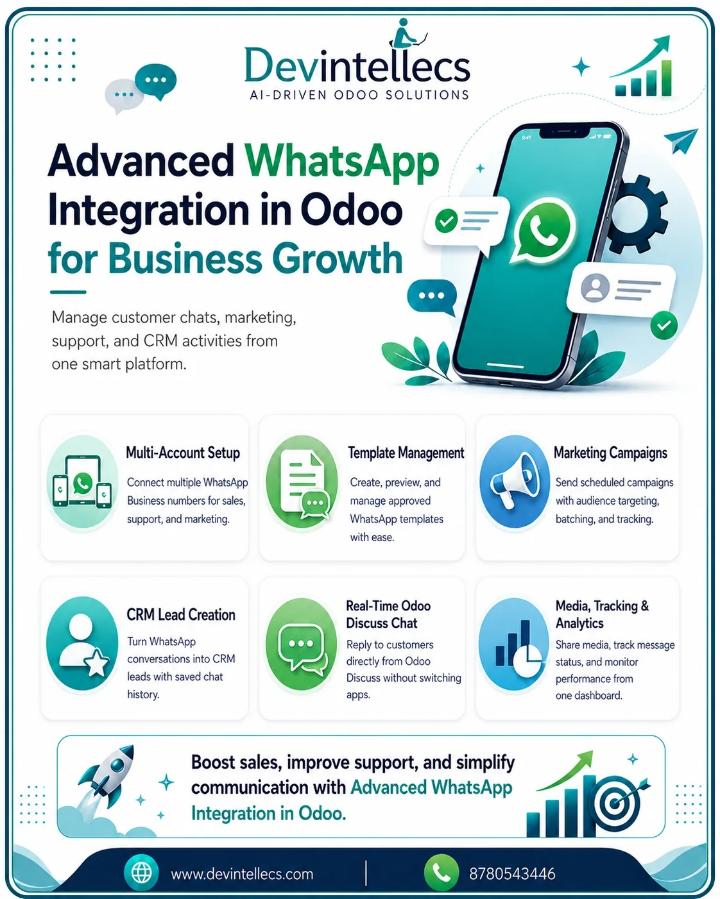
Multi-Account Configuration
Many businesses use more than one WhatsApp Business number. For example, one number may be used for sales, another for support, and another for marketing.
With multi-account configuration, you can connect multiple WhatsApp Business numbers in Odoo. Each account can have its own credentials, webhook URL, business profile, quality rating, and messaging tier.
The one-click test connection helps you check if the account is connected properly. This makes account setup easier and reduces the risk of technical errors.
Template Management
WhatsApp template messages are important for sending approved business messages. Advanced WhatsApp Integration in Odoo supports various template types, including Standard, Carousel, Limited Time Offer, and Authentication.
You can also use different header types, such as text, image, video, document, and location. For buttons, it supports quick reply, URL, phone, copy code, and flow buttons.
This helps businesses create professional messages for promotions, reminders, confirmations, updates, and customer follow-ups.
Live Template Preview
Before sending a WhatsApp template for approval, it is important to see how it will look to the customer.
The live template preview shows your message in a phone-style preview inside Odoo. You can check the header, body text, buttons, images, and layout before submission.
This helps avoid errors and improves the quality of your WhatsApp messages.
Template Approval Workflow
Manually approving WhatsApp template requests can take time. With this feature, you can submit templates for Meta approval with one click.
The system can also sync template status through webhooks. You can track whether a template is in Draft, Pending, Approved, Rejected, Paused, Disabled, or Flagged status.
You can also import and delete templates directly in Meta. This keeps template management simple and organized.
Dynamic Variable Mapping
Dynamic variable mapping allows businesses to send personalized WhatsApp messages by connecting template variables with Odoo model fields.
For example, you can automatically add the customer name, order number, invoice amount, delivery date, appointment time, or payment link to the message.
This saves time and makes every message feel more personal and useful.
Marketing Campaigns
Advanced WhatsApp Integration in Odoo enables businesses to run large-scale WhatsApp marketing campaigns.
You can create audience lists from Odoo Contacts, Marketing Groups, CSV or Excel import, or combined sources. You can also schedule campaigns based on timezone and sending windows.
This is useful for offers, product launches, reminders, announcements, event promotions, and customer re-engagement campaigns.
Campaign Batch and Throttling
Sending too many messages at once can create delivery issues. Campaign batch and throttling help control the sending speed.
You can set batch size and send rate per second. You can also pause, resume, cancel, or reset campaigns when needed.
Each recipient gets individual tracking with WhatsApp message IDs. This helps your team know which messages were sent, delivered, read, or failed.
Real-Time Discuss Integration
One of the best features is real-time Odoo Discuss integration. When a customer sends a WhatsApp message, Odoo can create a dedicated WhatsApp channel in Discuss.
Your agents can reply from Odoo, and the message will be sent to the customer on WhatsApp. This means your team does not need to use separate devices or apps for customer communication.
A WhatsApp-specific sidebar category in Discuss also helps agents manage chats easily.
24-Hour Window Management
WhatsApp offers 24-hour customer service. When a customer messages your business, you can reply freely within that time window. After the window closes, you need to use approved template messages.
This integration tracks the 24-hour window in real time. It also shows an expiry countdown in the UI. When the window closes, the composer can automatically switch to template mode.
This helps your team follow WhatsApp rules and avoid issues with message sending.
Full Media Support
Customers often send images, videos, documents, audio, locations, stickers, and contacts on WhatsApp.
With full media support, your team can send and receive all these media types in Odoo. The system can also download media automatically and create Odoo attachments.
This is helpful for support cases, product images, documents, quotations, invoices, location sharing, and service proof.
CRM Lead Creation
WhatsApp conversations can become sales opportunities. With CRM lead creation, your team can convert a WhatsApp chat into a CRM lead directly from Discuss.
The full chat history, up to the point of lead creation, is saved in the lead description. This gives the sales team proper context before follow-up.
It helps businesses capture leads faster and avoid losing important customer details.
Chat Transfer and Assignment
For better support, WhatsApp chats can be assigned to agents or teams. New chats can be auto-assigned to the right team.
Agents can also transfer chats to other users with notes. Chat statuses such as New, Assigned, In Progress, and Resolved help the team clearly track work.
Priority levels such as Normal, Important, and Urgent help agents focus on critical conversations first.
Invite Users to Chat
Sometimes one agent may need help from another team member. By inviting users to chat, internal users can be added to an ongoing WhatsApp conversation.
Invited users can see the full chat history and join the conversation. This is helpful for sales, support, technical, finance, or management-level discussions.
Analytics Dashboard
The analytics dashboard helps businesses understand WhatsApp performance.
You can view summary tiles, daily volume charts, delivery funnel, top campaigns, top templates, and cost breakdown by country. You can also filter data by date range, account, campaign, or template.
This helps business owners check what is working and where improvement is needed.
Central Message Log
All incoming and outgoing WhatsApp messages are stored in the central message log.
The status of each message, from queued to sent, delivered, read, and failed, is recorded. It records timestamps, error codes, conversation information, and billable messages.
This makes tracking, reporting, and troubleshooting easier.
Marketing Contacts and Groups
For WhatsApp marketing, it is important to manage contacts properly. This integration provides dedicated WhatsApp marketing contacts separate from normal Odoo partners.
You can create audience groups, import contacts using CSV or Excel, track opt-in and opt-out status, remove duplicate phone numbers, and link contacts with partners.
This helps keep marketing data clean and compliant.
Auto Partner Creation
When an unknown customer sends a WhatsApp message, the system can automatically create a partner in Odoo.
It can enrich phone numbers with country detection, language settings, and E.164 formatting using the phonenumbers library.
This saves manual work and keeps customer records organized.
Security and Multi-Company Support
Security is important when many users and companies use the same system.
Advanced WhatsApp Integration in Odoo supports three security levels: User, Manager, and Administrator. It also supports multi-company record rules on all models.
Token-based secure media serving with SHA-256 hash validation helps protect files and media shared through WhatsApp.
Chatter WhatsApp Button
The Chatter WhatsApp Button allows users to send WhatsApp template messages directly from any contact’s chatter.
Your team can select a template, fill in variables, and send the message without leaving the partner form. This is useful for quick follow-ups, reminders, updates, and customer communication.
Point | Basic WhatsApp Integration | Advanced WhatsApp Integration in Odoo |
WhatsApp Account | Usually, one number supports | Multiple WhatsApp Business accounts support |
Message Sending | Simple send/receive messages | Templates, campaigns, automation, and tracking |
CRM Lead | Manual lead creation | WhatsApp chat se direct CRM lead create |
Campaigns | Limited or no campaign option | Scheduled campaigns with batch and throttling |
Customer Support | Separate WhatsApp app use karna padta hai | Odoo Discuss se real-time reply |
Template Management | Manual template handling | Live preview, approval status, and Meta sync |
Media Support | Basic file sharing | Images, videos, documents, audio, location, stickers |
Analytics | No proper reporting | Dashboard, delivery funnel, cost tracking |
Team Management | Individual user handling | Agent assignment, chat transfer, priority status |
Business Use | Small/simple communication | Sales, support, marketing, and CRM automation |
Conclusion
Advanced WhatsApp Integration for Odoo enables firms to enhance communication, automate marketing activities, manage support tasks, and generate leads via WhatsApp.
Some of its features include multi-account configuration, template management, live preview, campaign scheduling, real-time discussion, lead generation via CRM, media support, centralized logging, and secure operation.
For companies that want faster replies, better customer support, more organized marketing, and stronger business growth, Advanced WhatsApp Integration in Odoo is a practical and powerful solution.
Improve WhatsApp communication with Devintellecs Advanced WhatsApp Integration for Odoo. Available in the Odoo App Store to manage sales, support, marketing, and customer chats easily.
FAQs
1. What is Advanced WhatsApp Integration in Odoo?
Advanced WhatsApp Integration in Odoo helps businesses manage WhatsApp chats, marketing messages, customer support, and CRM activities directly from Odoo.
2. Can I connect multiple WhatsApp numbers in Odoo?
Yes, you can connect multiple WhatsApp Business accounts in Odoo and manage sales, support, and marketing conversations from one system.
3. How does WhatsApp Integration help business growth?
It helps businesses reply faster, capture leads, automate customer communication, run marketing campaigns, and improve customer support.
4. Can WhatsApp chats create CRM leads in Odoo?
Yes, WhatsApp conversations can be converted into CRM leads directly from Odoo Discuss, with the full chat history automatically saved.
5. Can I send media files through WhatsApp in Odoo?
Yes, you can send and receive images, videos, audio, documents, locations, stickers, and contacts directly from Odoo.

Advanced WhatsApp Integration in Odoo for Business Growth